Skip to content

Focus Ex, the ADHD reading extension: you do the reading, we keep your place

An ADHD-friendly reading extension for anyone who loses focus

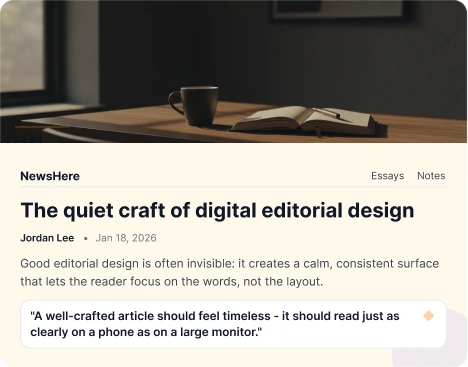
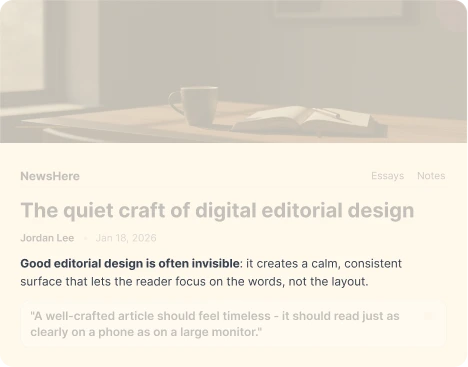
Focus Ex highlighting one sentence in an article on the web
9:41
articlehive.com
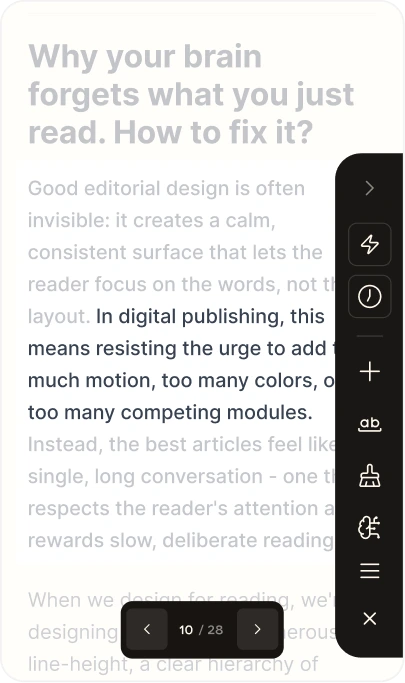
Focus Ex on a phone, stepping through an article
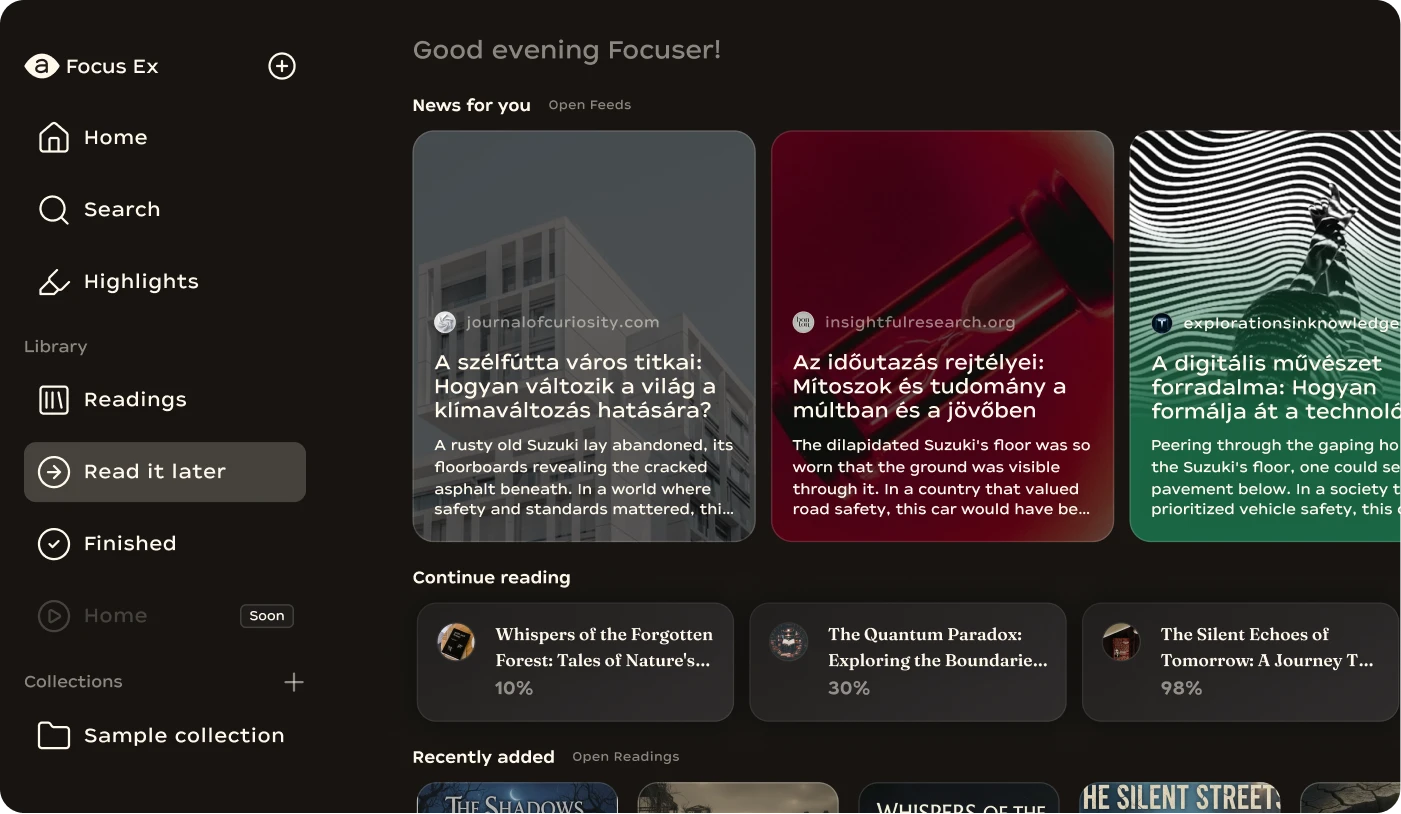
The Focus Reader library on a computer
  • One bit at a time

    The line you are on stays clear. The rest steps back.

  • A quiet page

    No page transformation, just clearing ads, motion and clutter in one click.

  • Your type, your size

    Focus Sans, spacing and width, set the way you read.

One sentence at a time: how the Focus Ex reading modes work

Pick how much help you want. Change it any time.

Try out how it feels to focus better

Jordan Lee•Jan 18, 2026

Most of us have started a long article and drifted away halfway through, and it is rarely because the topic was dull. A crowded page and a wall of text make it hard to keep your place, so every line costs more effort than it should. Guiding the eye one sentence at a time gives your attention something to follow, and makes it easier to stay with the text.

Staying with a text is easier when it has a rhythm. Highlighting the sentence you are on, softening the rest and giving the lines room to breathe help your eyes find the next word without searching. On a screen this matters even more, because ads, sidebars and notifications keep inviting your attention to leave the page.

Technology can help with this, but it should never get in your way. A good reading tool works on any article, on a phone as well as a large monitor, and steps aside the moment you want to read on your own. With only the text, a clear typeface and a calm layout, long reading starts to feel more like a book than a feed.

Ultimately, the goal is a tool that disappears. When it is working, you do not notice the highlighting or the typeface - you notice the ideas, the arguments and the stories. By removing the noise around the text, readers can settle in, focus and stay with the page.

Try it out for yourself

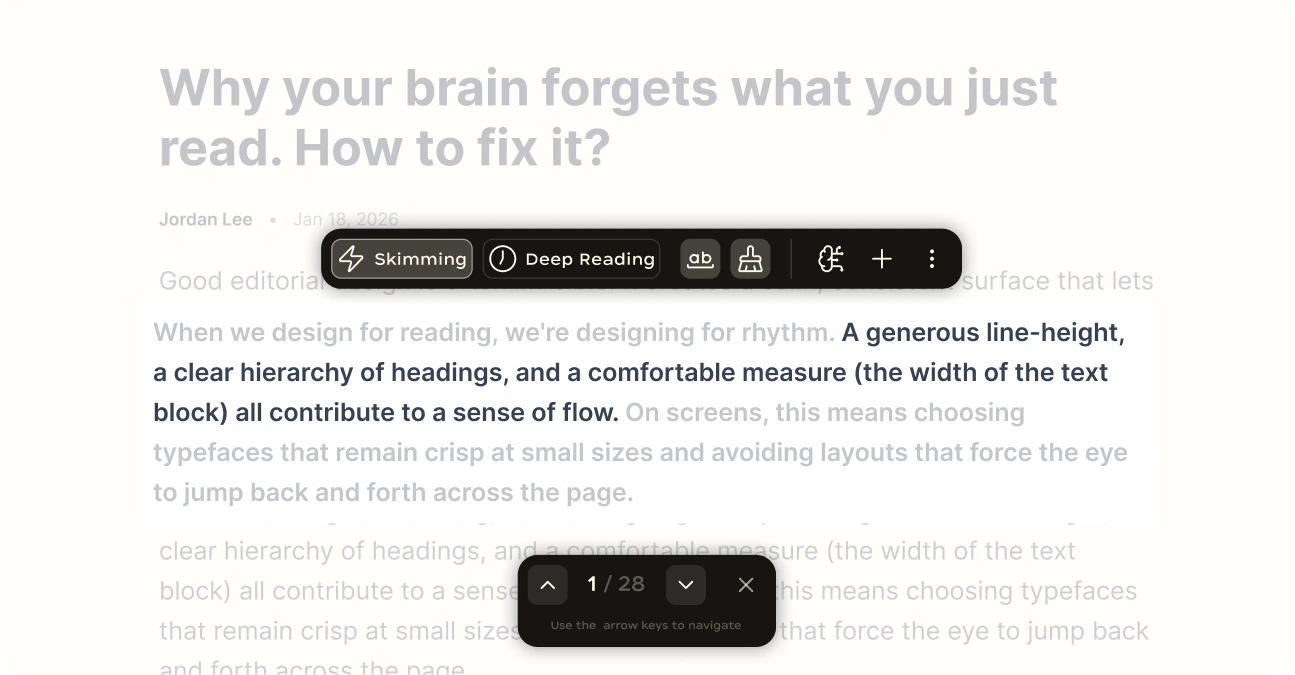
Use the arrow keys or the bottom navigation panel arrow buttons to step through the text.

1/13

Use the and arrow keys

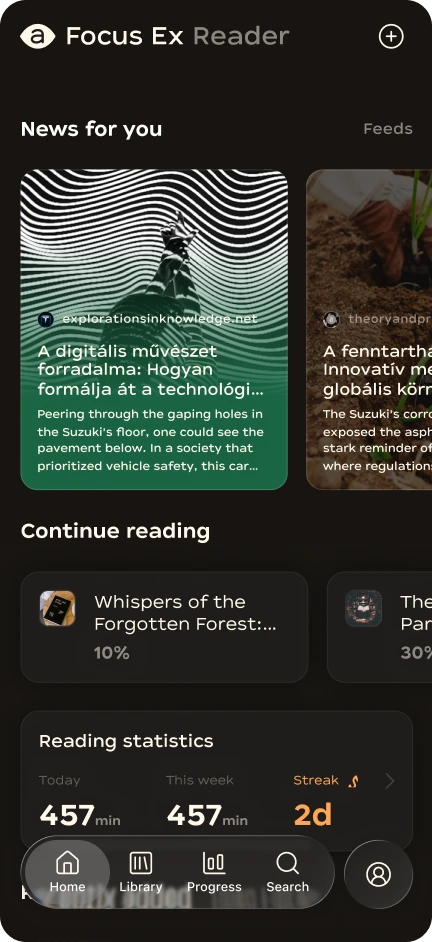
On your phone

Run in your browser or as a PWA, no need to download any app.

9:41
Focus Reader on a phone

Three ways to stay on the page

Use the extension to see how it feels to dim the noise on a busy website or lead your eye through a long article online. Not even registration is necessary to try the core features.

  • Skimming

    Fast navigation through content with step-by-step highlighting of read text fragments.

  • Deep Reading

    Focus deeply on the content by seeing one sentence at once while following the page structure.

  • Sentence Mode

    Read one sentence at a time to improve focus and comprehension while reducing cognitive overload.

Accessible on most reading platforms: Focus Ex extension, Focus Reader and Focus Paper e-ink

Read on any device you want consistently. Swap between them if you wish.

Send to e-ink

Coming next

Focus Paper is our e-ink reader. Send any article from the extension or the Reader to it in one tap, and read on a calm, glare-free screen. Join the waitlist for early access.

Works where you read

  • Gmail
  • Google Docs
  • LinkedIn
  • Reddit
  • Google Overview
  • ChatGPT
  • Claude
  • Gemini

Customise any of your readings to your need: Focus Sans, text settings and the reading buddy

Your typeface, your spacing, your pace.

Focus Sans Typeface

Focus Sans, our custom variable font for ADHD-friendly reading, built for clarity and focus.

Customise to your needs

Adjust font, size, spacing, and contrast. Your perfect reading environment.

Size
62 %
Line height
45 %
Letter space
30 %
Letter width
55 %

Key Research Insight

Interactive reading methods, where readers actively engage with text formatting, show promise for maintaining attention longer than static text reading. Our research explores how highlighting, visual guidance, and chunking techniques can improve the reading experience and reading motivation.

Read more about the Research

Clean all page clutter

Unnecessary motion, images, ads, and clutter are gone instantly.

A reading buddy beside the text

One little book in the extension, the Reader and your phone.

8
articles today
34
minutes today
2310
words today
Booky, the reading buddy
  • It counts

    Words, sentences, pages. Booky keeps the tally.

  • It grows

    Looks and small surprises turn up while you read.

  • Set a goal

    Achieve your daily goals and earn new tools!

Free to read. $3 to support.: Focus Ex plans and pricing

The extension is free. Supporters get Focus Reader.

Free

$0

Forever

  • Basic reading mode
  • Distraction removal
  • Limited customization
  • Article Suggestion

Supporter

$3/ month

30 days free

  • Focus Reader web app
  • All reading modes
  • Full customisation
  • Early access to features
  • Focus Agent

Appearances in the media

Design press, awards and festivals that have featured Focus Ex.

A hand taking a book from a shelf

One designer, one reading problem, one project

Focus Ex began as my design research at MOME in Budapest: a typeface and a way of highlighting text, shaped with readers who have ADHD. I still build it myself, and Supporters keep it independent.

Start reading, continue where you left off.

Frequently Asked Questions

Is Focus Ex free?

Yes. The core reading features of Focus Ex are free forever, with no registration needed for the extension. An optional Supporter Plan costs $3 per month and starts with a 30-day free trial. It unlocks Focus Reader, all reading modes, full customisation, early access to new features and the Focus Agent.

Is Focus Ex made for people who struggle to focus on reading?

Yes. Focus Ex began as a reading aid for adults who find it hard to focus on reading, such as people with ADHD. Its first version was shaped by a questionnaire answered by readers with ADHD and by consultation with psychology and neurology researchers in Budapest. Today it helps anyone who loses focus while reading on screens. Focus Ex is a reading tool, not a medical treatment.

Which browsers and devices does Focus Ex work on?

The Focus Extension runs in Google Chrome on desktop and laptop computers. A Safari version for Mac, iPhone and iPad is in development. Focus Reader, the web app for eBooks, PDFs and documents, works in any modern browser on both mobile and desktop and is part of the Supporter Plan, free for the first 30 days.

How does Focus Ex protect my privacy?

All reading happens locally in your browser: the pages you visit and the text you read are never sent to Focus Ex servers. Only your account settings are synced, and Focus Ex never shares data with third parties.

Does Focus Ex work on all websites?

Focus Ex works on most article-based websites: news sites, blogs, documentation and long-form content. It also reads the places you write and chat in: ChatGPT, Claude, Gemini, Gmail, Reddit, LinkedIn, Google Docs, Notion and the AI Overview on Google. Some highly dynamic web apps are not supported, and you can always exclude sites where you do not want it to run.

What is Focus Sans?

Focus Sans is the variable typeface created for Focus Ex, first designed for readers who struggle to focus. Its letter proportions and wider letter-spacing are designed for comfortable, legible reading, and its weight, width and a special "Focus" optical size can be adjusted to suit each reader.

How can Focus Ex help if I struggle to focus while reading?

Focus Ex guides your eyes through a text with step-by-step highlighting, removes on-page distractions and sets the article in Focus Sans, so there is less to pull your attention away. Skimming, deep reading and sentence mode let you pick the pace that suits you. Focus Ex is a reading tool, not a medical treatment, and results differ from person to person.

Is there an ADHD reading extension for Chrome?

Yes. Focus Ex is an ADHD reading extension and reading helper for Chrome. It began with readers who have ADHD in mind. It highlights the text step by step, removes ads and clutter from article pages and sets the text in Focus Sans, so it is easier to keep your place and keep going. It is free to install and needs no registration.

Is there an ADHD font extension, and is Focus Sans one?

Focus Sans is the font inside the Focus Ex extension: it was designed for readers who struggle to focus, including people with ADHD, and the extension can set the text of any article in it. It has open letter shapes and generous spacing for comfortable reading. No typeface can treat ADHD, and what feels best differs from person to person, so Focus Ex lets you adjust the weight, width and spacing of Focus Sans to your own taste.

Is there an ADHD reader for PDFs and eBooks?

Yes. Focus Reader is the Focus Ex web app for PDFs, eBooks and documents. It has the same step-by-step highlighting and Focus Sans as the extension, works in any modern browser on desktop and mobile, and is part of the Supporter Plan, free for the first 30 days.

What are the best reading tools for ADHD?

Reading tools for ADHD work best when they cut distraction and help you keep your place. Focus Ex is a reading aid for adults and students with ADHD that does both: step-by-step highlighting, a distraction-free page and the Focus Sans font, in a Chrome extension and in Focus Reader for PDFs and eBooks. Try it free and see what suits you, as no single tool works for everyone.

Will Focus Ex actually help me focus?

Research on Focus Ex shows promising results: interactive highlighting helps many readers keep their attention and reading motivation longer than static text. Everyone is different though, so try the free version and see how it works for you.

What makes Focus Ex different from other reading tools?

Focus Ex is built on a 4-year PhD research study on digital reading attention. Instead of just reformatting text, it adds interactive reading methods — skimming, deep reading and sentence mode — backed by Focus Sans, a custom variable typeface designed for reading clarity.

Can I use Focus Ex for work or school?

Absolutely. Focus Ex is great for studying, research and processing long work documents. Many Focus Ex users are students and knowledge workers who read a lot of dense material every day.

How do I report bugs or suggest features?

Join the Focus Ex Discord community or contact the team by email. Focus Ex keeps an active feedback loop with its users, and community suggestions regularly shape what gets built next.